Grow beyond borders,
with peace of mind.
Your data, your costs and the decisions that matter stay in your hands, even once the repetitive half of the work belongs to the agent.
This is the product, running
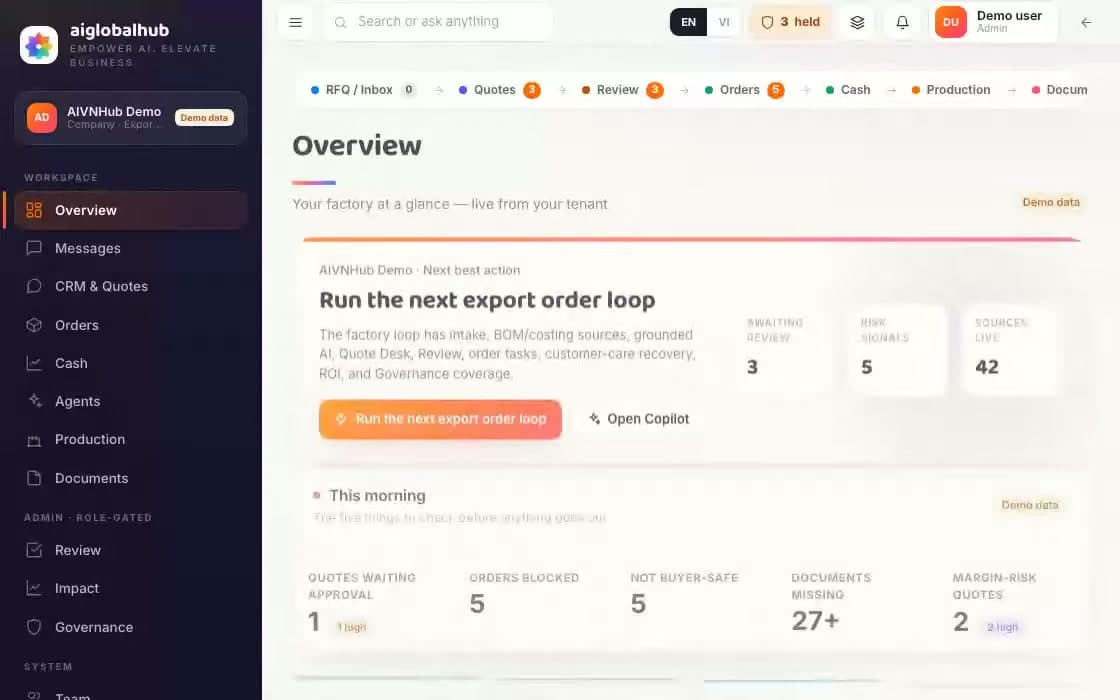
Four things you just watched, and where to check them
We name no customers yet. Names and numbers appear here once a pilot finishes and the customer agrees to be named. What we will publish
A bill of lading photographed at midnight, an order email the next morning, still one record
One request. The whole workflow carries it.
From the first enquiry to the money landing, AI Global Hub joins every step into a single run: the agent prepares, you approve, the system executes.
Illustration, sample data
Exactly one stage of the six needs a person, and nothing passes it until they approve. The other five run on their own.
Click a stop and the orbit pauses so you can read.
Each industry gets its own line, with the gate built into it
These are the steps a request actually moves through, including the ones where it has to stop and wait for a person. Drag the boxes to rearrange them, then run one through and see where it jams.
Illustration, sample data
Why an operations team will let AI touch a real order
Any model can write well. The difficulty is getting a chief accountant to put her name under the result, because she is the one who sits across the table from the tax office.
Click a field and you land on the line it came from
Every field carries its page, its line and a hashed excerpt, so six months later you can still trace it back to the exact spot. With no source it stays empty, because an empty box is easier to fix than a wrong number that looks convincing.
Citations have to match word for word
A quoted passage that is not literally in the document is dropped.
Every edit leaves a mark
The name, the time, and the value it held before.
Every review meeting ends on the same question, where did this number come from, and here it is one click away.
in the product, clicking a line opens the source document at that passage
Illustration, sample data
Approving means approving the version that actually exists
When you press approve, the system does not trust the saved copy: it rebuilds the file from live data and compares the hash. One field out of step, a document replaced with a newer scan for instance, and the approve button does nothing.
Not approved, not sent
The constraint lives in the code and in the database, not in a setting.
Approved once, sent once
The connection drops, you click again, and the instruction still does not run twice.
Only the right person can approve
Rights are tied to the workspace, so nobody signs on another team's behalf.
The constraint is checked at the API, then checked again on the write into the database.
No send path goes around this
Illustration, sample data
AI spend has a ceiling, and you see it degrade
Each workspace has its own ceiling for document reading and model calls. At the ceiling the paid call is refused before it runs and the screen says so, rather than the answers quietly getting worse.
Reserved before the call
Better to block than to pay twice for the same job.
Two states, both visible
Inside the cap, or blocked at it.
A surprise AI invoice at month end is the fastest way to get a project cancelled, so the ceiling is on from day one.
At the ceiling the paid call is refused before it runs and the state is written on screen. It does not quietly return worse answers.
Illustration, sample data
Run it alongside, widen the remit once there are numbers
A new agent runs in the background first: it does the whole job but sends nothing, so the system can count how many fields it matched and which blockers it missed. Only past the threshold does it enter the live approval loop.
Thresholds written as numbers
Five runs, field accuracy of 90% or better, no missed blocker.
Your reviewers teach it
Corrections become suggestions that wait for approval and expire after 90 days.
If a stage does not speed up, the chart will say so, and that is the moment to switch the automation off there.
Runs with a trail
each one replayablePassed an approval
no exceptionsFields with a source
3% waiting on inputAI spend
updated liveDocument approval is the longest wait this period. The trail points at the exact step, so you can add an approver or drop a hop.
Illustration, sample data
Ask it something, then look at where the answer came from
Every answer carries its source. Ask it something outside the knowledge base and it refuses, and that refusal is the part worth watching.
Sample questions
You asked
Under FOB, who bears the risk once goods are on board the vessel?
Under Incoterms 2020, FOB transfers risk once the goods are on board the vessel at the port of shipment. The buyer bears the risk from that point, including in-transit damage or loss. The seller bears risk until loading onto the buyer-nominated vessel is complete.
Sources
The corpus here is public. On your own data, every answer points back to your own documents.Talk about a pilot
A question you type goes through the product's own Copilot API: retrieval, citation checking and refusal are all the shipped code. The wording of a successful answer on this page is assembled by a fixed generator from the lines it just retrieved, with no paid model call. Sample questions use pre-written answers so they appear instantly.
The things nobody asks about at signing, and everybody asks about in month three
Early enthusiasm covers a lot, right up until the person asking the questions is no longer the person who signed the contract.
Each client stays in their own house
The boundary is checked in the data layer rather than hidden in the interface, so a practice running twenty clients still has no query path that crosses over.
Vietnamese is the first language
Diacritics, Vietnamese names and ward-level addresses are the primary data here rather than a translation bolted on later, and personal details are masked before storage.
Connects to what you already use
Outlook, Zalo, Messenger and bank statements come in. Outbound delivery is available only after the channel is configured and a manager approves the message.
You can rebuild an old decision
Six months on you can still open that exact run: which steps it took, what it cost, who pressed the button.
A number that is not certain says so
Money that has not finished reconciling carries an estimate label instead of sitting among the settled figures.
Industries built deep enough to pilot: export and accounting practice
Named reasons it refuses, from a missing C/O to a duplicate entry
Send paths that go around an approver
Layers that check whether a thing was approved: the API and the database
Two industries running, one just getting started
Export and the accounting practice are deep enough to run real work inside a pilot. F&B has only the front end, and we would rather say so here than let you find out in the second meeting.
There is no switch for this: until a person presses approve, no mode and no API route sends agent-written work to your buyer.
Start with one workflow
Pick a single job, the document set for the shipment going out this week, say, or the month end bank reconciliation. We build that one, run it alongside your current way for a month, then look at how often it blocked correctly and how often it blocked wrongly.
30 minutes
The first call
Long enough to walk one real workflow and agree a scope.
Nothing to prepare
Before the call
You describe what you run today, we open the matching screen.
No real data needed
During the call
It runs on demo data; yours only enters once the scope is agreed.